Retrosheet Schedule Editor — Browser Tool
24 April 2026
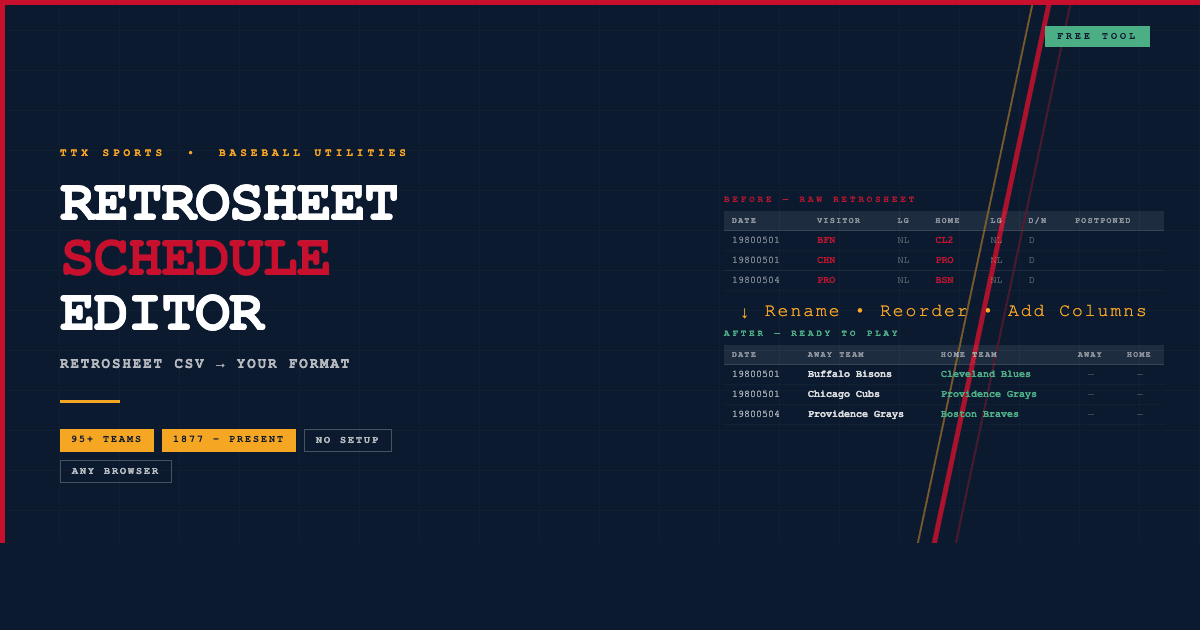
Raw Retrosheet schedules are awesome and useful. They're just not pretty as you want them sometimes.
Team codes like LAN, CHN and NYA don't mean a lot on a printed season sheet. Columns you don't need take up space. There's nowhere to add scores.
Fix all of that with this free browser tool. Drop in any Retrosheet CSV, reshape it to exactly what you need, and export a clean CSV ready to use, print or play.
What it does
- Load any Retrosheet schedule — drop a file or click to browse. Works with any year from 1877 to present
- Rename team codes automatically — a built-in lookup covers 95+ historical MLB franchises.
LANbecomes Los Angeles Dodgers,BFNbecomes Buffalo Bisons, and so on. Edit any name you like - Drag columns into any order — sidebar panel lets you grab and reorder columns the way you want them
- Show or hide columns — hide League, Game number, Postponed and any other fields you don't need. Hidden columns are excluded from the export
- Add blank columns — insert Home Score, Away Score, Notes or anything else with one click
- Edit any cell — click directly in the table to change any value
- Delete or add rows — remove games, add playoff rounds, insert headers
- Export as CSV — downloads immediately, ready to open in Excel or print
Nothing to install
It's a single HTML file. Open it in any browser and it works. No account, no internet connection required, no setup.
Who it's for
If you're running a tabletop baseball season — whether that's a home-brewed dice game, APBA, Strat-O-Matic, or anything else using Retrosheet data — this tool saves you hours of manual spreadsheet work.
Open in browser → Try it directly on the site
Also on Payhip if you want to save it locally — grab it free here.